Every customer, from first call to finished job.
A CRM that fits your business, not the other way round. Your own stages, fields and tags, a page for every customer laid out your way, and automations that do the moving for you.
No two businesses work the same. Your CRM won't either.
Set it up in minutes, and change it whenever the business does.
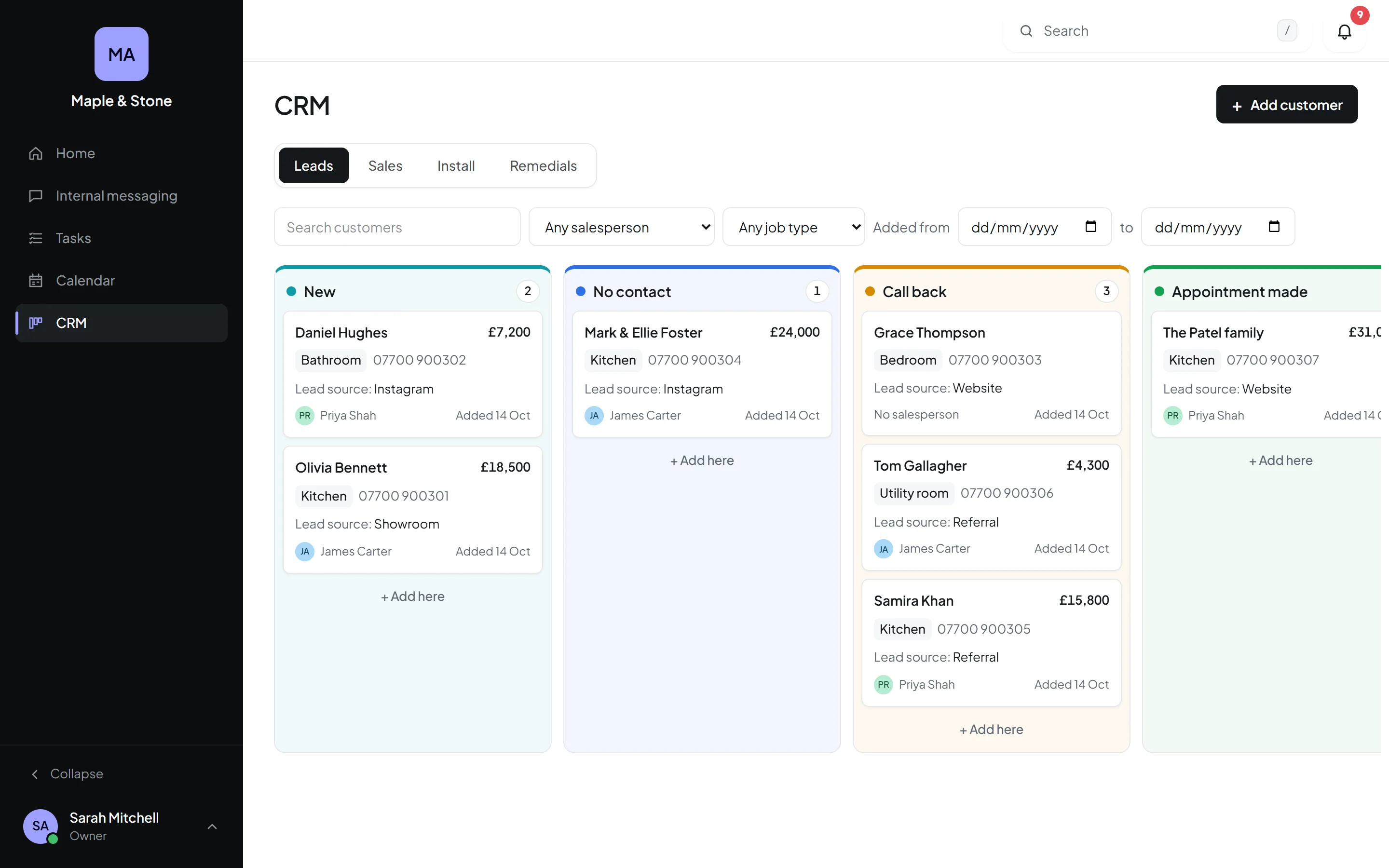
Your own tabs and columns
Leads, Installs, Remedials, Completed: the stages your business really goes through, in your own colours.
Fields you choose
Ask for what you need, make some required, and show others only once a customer reaches a certain stage.
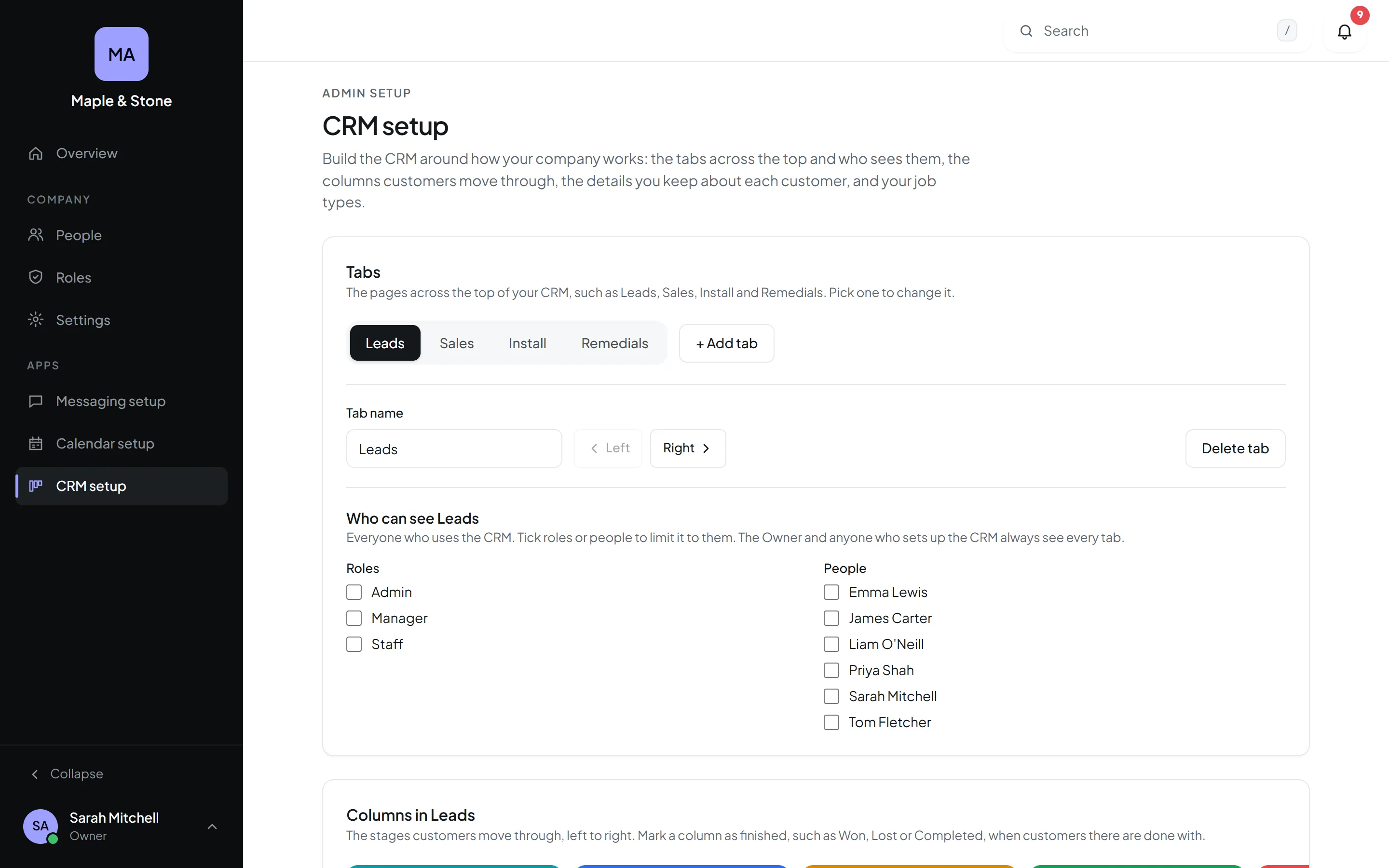
Who sees what
Open a tab to certain roles or people, and let salespeople see only their own customers.
- AaNameTextRequired
- ☎PhonePhoneRequired
- @EmailEmailRequired
- ⌂AddressAddressRequired
- ▾Job typeKitchen · Bathroom · UtilityRequired
Ask for just what you need when a customer comes in, and more as they move along.
- ✓Text, numbers, money, dates, choices and people
- ✓Required or optional, field by field
- ✓Per tab, or per stage
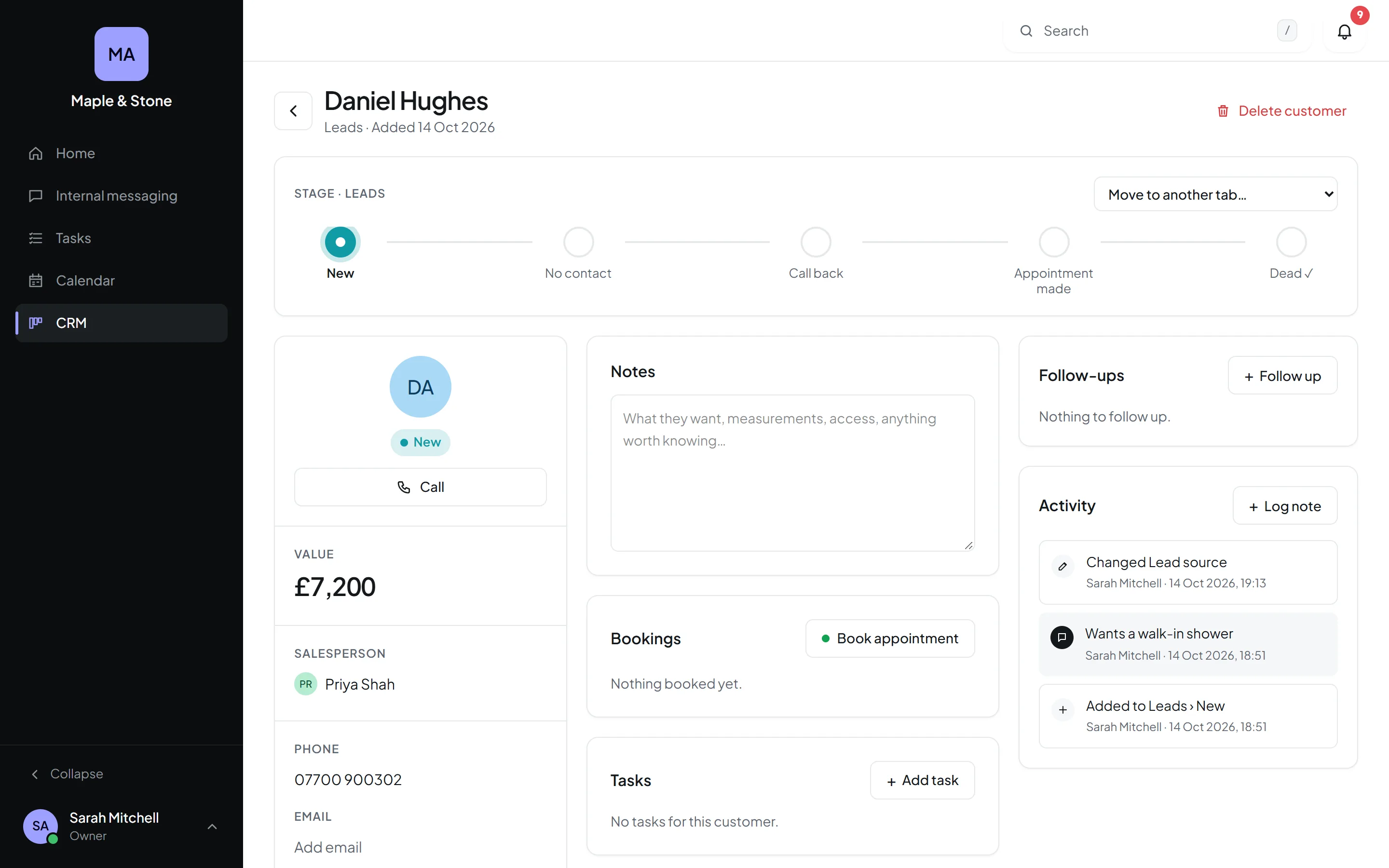
Everything about them, in one place.
Where they're up to, their details, notes, bookings, tasks, follow-ups and a history of everything that's happened.
- ✓Click any detail to change it
- ✓Call or email in one tap
- ✓Book straight into the calendar
- ✓Follow-ups that land in My day
Lay out every customer page the way you work.
In CRM setup, drag the boxes into your order, make them wider or taller, and hide the ones you never use. Every customer's page follows.
- ✓Notes first, files first: your call
- ✓A third, half, two thirds or full width
- ✓Hide what your team doesn't need
Tags in your colours
VIP, Trade, Repeat customer: make your own, put them on any customer, and filter the board down to just those.
- Mill HouseKitchenVIPSA
- The HarpersKitchenSA
- Linden StKitchenTradeJA
- Mrs PatelBathroomVIPRepeat customerPR
One-tap quick tasks
You choose the buttons, like Call back or Send quote. One tap and the task is made, filled in and linked to the customer.
- ✓Call back – The HarpersSA
Let the CRM do the follow-up.
When something happens to a customer, Orkello emails them, reminds them, tells your team, makes the task and moves them on. Set it up once, in plain English, and it happens every time.
- When a survey is booked, email them the details
- 1 day before a booking, send a reminder
- When they land in Won, say thanks, tell Emma and post in #sales
- After 3 days in Quoted, chase them and make Emma a task
- 2 days after the job's finished, ask for a review
Every enquiry caught, none of them twice.
Put an enquiry form on your website, your van or a flyer, and every enquiry lands in the CRM as a new customer, with where they came from. Orkello spots people you've already got, and reminds you about the jobs that come round again.
Enquiry forms
Your own questions, photos and all. Share a link, paste it into your website, or print its QR code. Each enquiry becomes a customer and tells your team.
Already in your CRM?
Adding someone with the same phone, email or name as a customer you've already got? Orkello says so before you make them twice.
Reminders that come round again
An annual service, a gas safety check, a follow-up in six months. Set it once on the customer, and an automation can email them before it's due.
Where every lead came from
Google, a recommendation, the van: pick it on each customer, or let the enquiry form fill it in. Your own list.
Won, lost, and why
Mark a customer won or lost, or drop them in a Won or Lost column. Lost asks why, so you can see what's costing you jobs.
Emails and texts in one tap
Your own templates, like “On my way” or “Quote follow-up”, filled in with the customer's details and sent from their page.
See how the work is coming in.
Leads, sales, installs, whatever matters to you: make a dashboard for each, choose the numbers it shows, and watch them week by week. It comes with the CRM.
- ✓Your own dashboards, with the numbers you pick
- ✓Leads by source, and sales by salesperson
- ✓The last 12 weeks, 6 months or a year
- ✓Shared with the roles you choose
- ✓Its headline numbers on anyone's home page
- Google4838%
- Recommended3352%
- Van or signage2129%
- Facebook1921%
Photos and paperwork, right on their page.
Contract, Before photos, Survey: choose the kinds of file you keep and every customer gets a box for each. Drop them in from the office or snap them on site.
- ✓Your own file types, named your way
- ✓Photos shown as pictures, documents a tap away
- ✓In the Files app too, if you like
- ✓Only people who can see the customer see their files
Connected to everything else.
Bookings
Appointment, Survey or Install buttons put the visit straight in the right calendar, linked back to the customer.
Tasks
Make a task on a customer's page, or link one from the Tasks app. Either way it shows on both.
My day and the bell
Follow-ups due today show on your home page, and customers you're put on show in the bell.
Import and export
Bring your customers over from a spreadsheet, and take them out again whenever you like.
Clean, quick and built for the day job.
Better together, with one login.
Every Orkello app shares the same people, the same bell and the same search.