Who's working. Who's off.
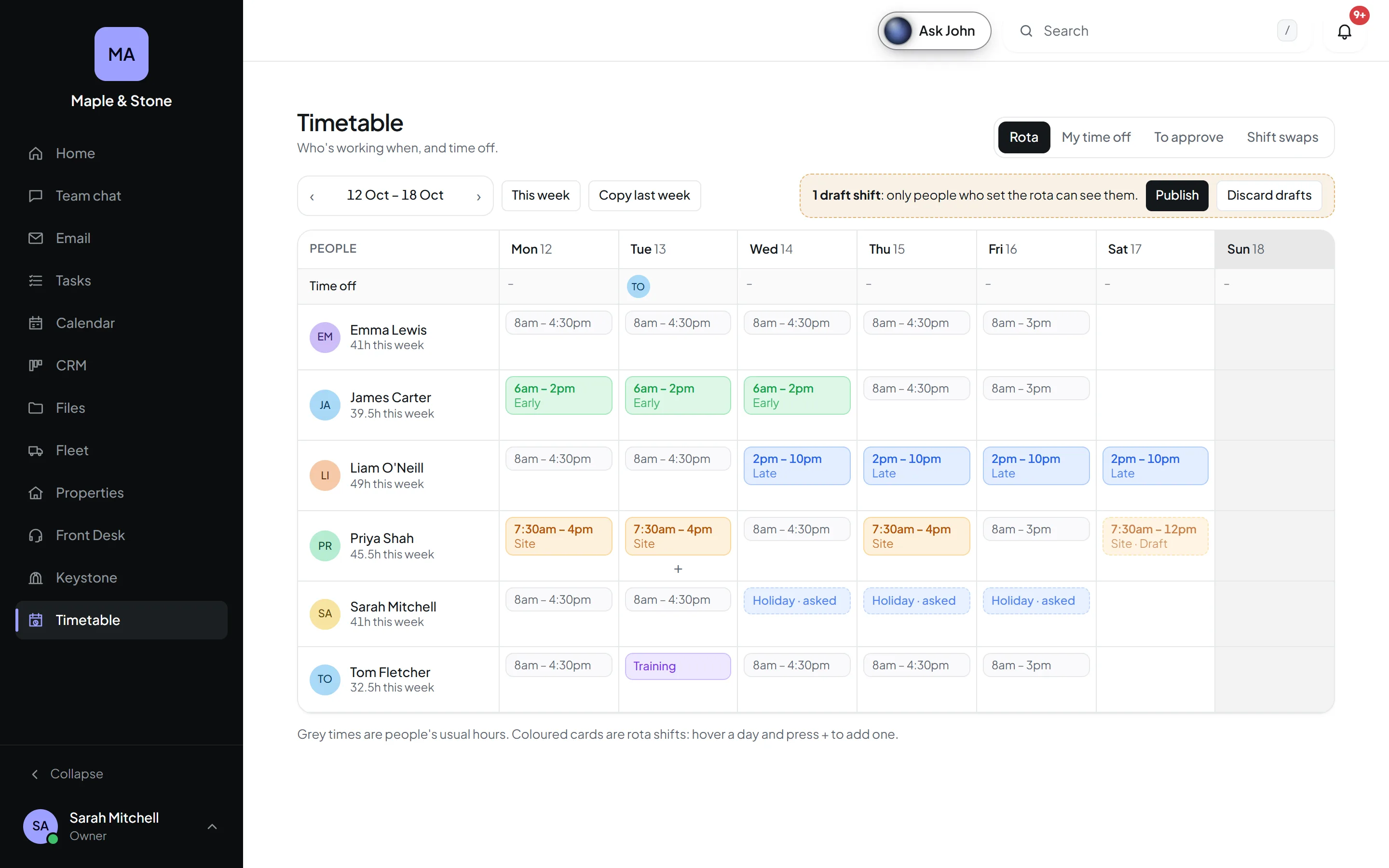
Put in everyone's working week once and it fills itself in, or draft a rota and publish it when it's ready. Holiday is asked for, approved and counted down, all in one place.
Grey: usual hours, filled in every week. Coloured: the rota.
Asked. Approved. Counted.
People ask for a day, a few days, a morning or a couple of hours. Whoever approves gets a notification with who else is off and what's left, and says yes in a tap. Their allowance counts itself down.
- ✓No more paper forms or spreadsheets
- ✓Approved holiday goes straight into the Calendar
- ✓People show as on holiday while they're away
Shift swaps
Can't make a shift? Offer it to a colleague or anyone, and it moves when they take it.
Days, hours or unlimited
Allowances in days or hours, carried over if you like. Self-employed? Unlimited, still recorded.
No surprise gaps
Approvers see who's already off, and get a warning before too many people are away at once.
Same every week, or never the same.
If everyone works Monday to Friday, set it once and you're done. If your rota changes, put it in whenever you like: draft it, copy last week, move things about, and publish when it's right. Only then does everyone see it, and hear about it.
- ✓Working weeks per person
- ✓Draft rotas, published when ready
- ✓Copy last week in one click
- ✓Saved shift types
- ✓Each person's hours for the week
- ✓A time off row on top
Your rules, not ours.
Owners and admins choose how holiday works, who approves it and who hears about it.
Your holiday year
January to December, April to March, or whenever yours starts. Allowances start again on the day.
Days or hours
Count holiday in days or hours, for the whole company or person by person.
Who approves
Everyone with the permission, or a named approver per person, such as their manager.
Who hears about it
Pick the people who get a notification every time someone asks for time off.
Kinds of absence
Holiday, sickness, unpaid leave, training or your own, each counting towards the allowance or not.
Shift types
Early, Late, Night, Site: save your usual shifts and fill a rota in a few clicks.
Limits
Warn approvers when too many people would be off on the same day.
Swaps your way
Let people swap shifts straight away, or only once someone approves.
Better together, with one login.
Every Orkello app shares the same people, the same bell and the same search.